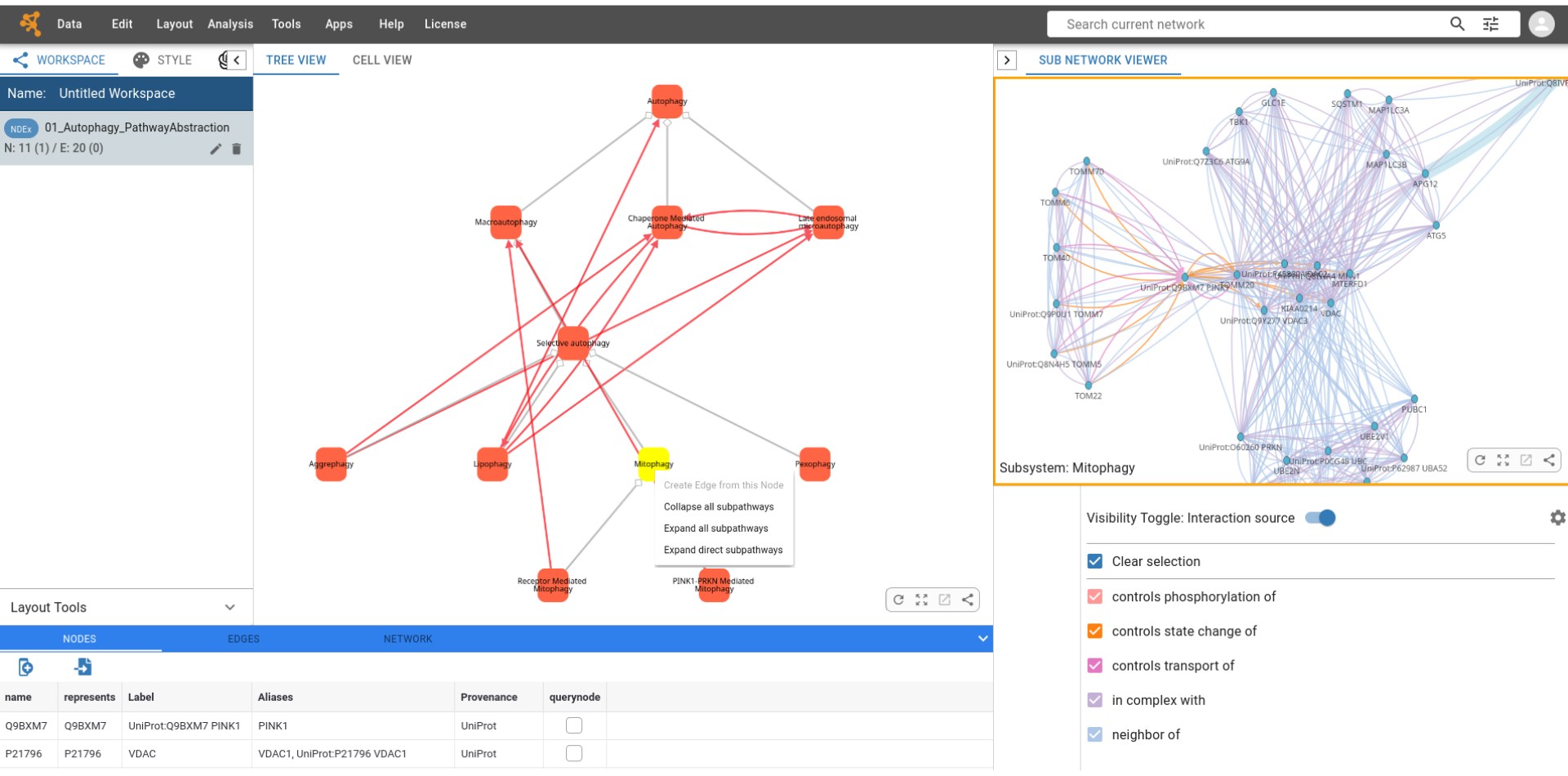
### Description of the App
The **Multiscale Pathway Viewer** is a Cytoscape Web application for the joint and interactive exploration of two interdependent contextual abstractions of Reactome BioPAX pathways:
- a pathway-centered abstraction focused on the hierarchy and sequentiality of pathways
- a SIF abstraction focused on molecular interactions.
The application enables users to dynamically expand and collapse abstractions for the 29 top-level Reactome pathways, following their compositional hierarchy. As users navigate this hierarchy, the application automatically synchronizes the corresponding SIF subnetworks representing molecular interactions. By linking pathway composition and molecular interactions, the Multiscale Pathway Viewer provides an interactive and multiscale approach to exploring Reactome pathway abstractions.
### Installing the App and loading networks
Click on the “Install in Cytoscape Web” button. A Cytoscape Web window opens in the browser, and invites you to install the Multiscale Pathway Viewer App in the workspace. Click on the “Install” button to complete the process. The Multiscale Pathway Viewer is then installed in the Cytoscape Web workspace, and can be enabled or disabled in the Apps menu.
The networks to be analyzed can be loaded using one of two methods:
• pathway-centered abstractions of the 29 Reactome top-level pathways can be opened in Cytoscape Web by right-clicking on networks on NDEx ([https://www.ndexbio.org/folders/d0967f2a-c336-11f1-be0a-005056ae3c32]) and selecting the “Open in Cytoscape Web” command. A Cytoscape Web window opens in the browser, allowing users to view the pathway-centered abstractions of Reactome pathways and their associated SIF abstractions in two panels displayed side by side.
• Networks from NDEx can also be directly accessed in Cytoscape Web using the Data → Open Network(s) from NDEx menus and searching for the "Reactome96PathwayAbstractions" NDEx folder.